
How to start a trip
Starting a trip by hand in the eDriver app: vehicle, odometer, trip type and the start address – in four steps.
Updated:
Steps
- 1
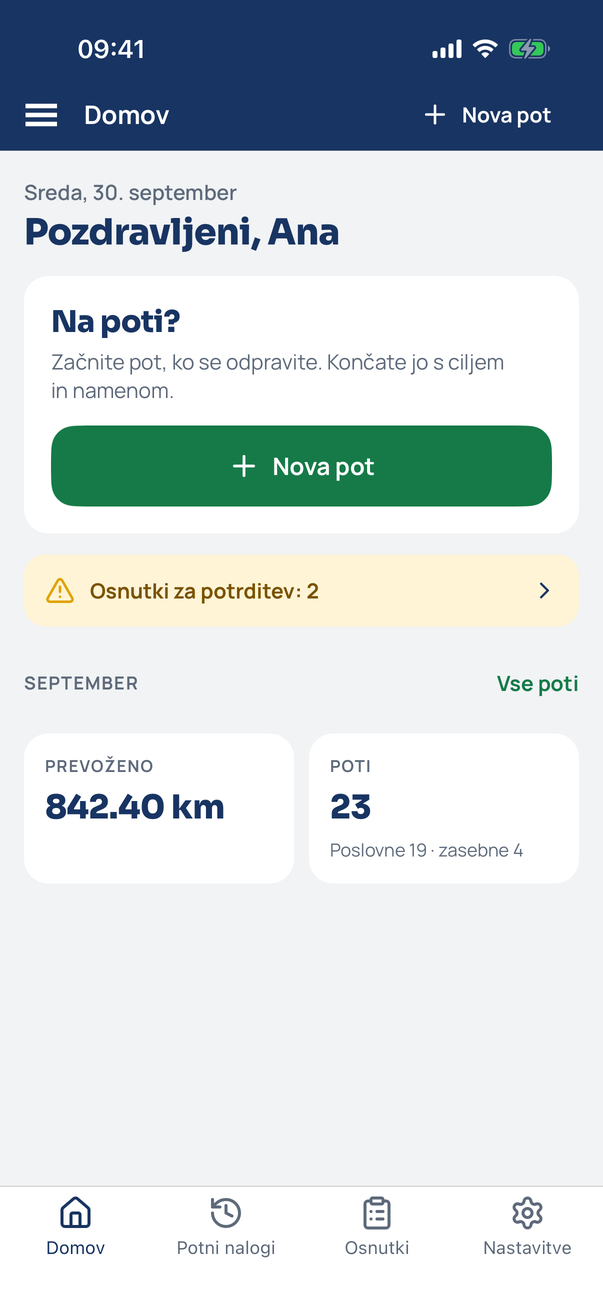
Open Home
With no trip running, Home shows the “On the road?” card with a New trip button. Tap it (or + New trip in the header).
- 2
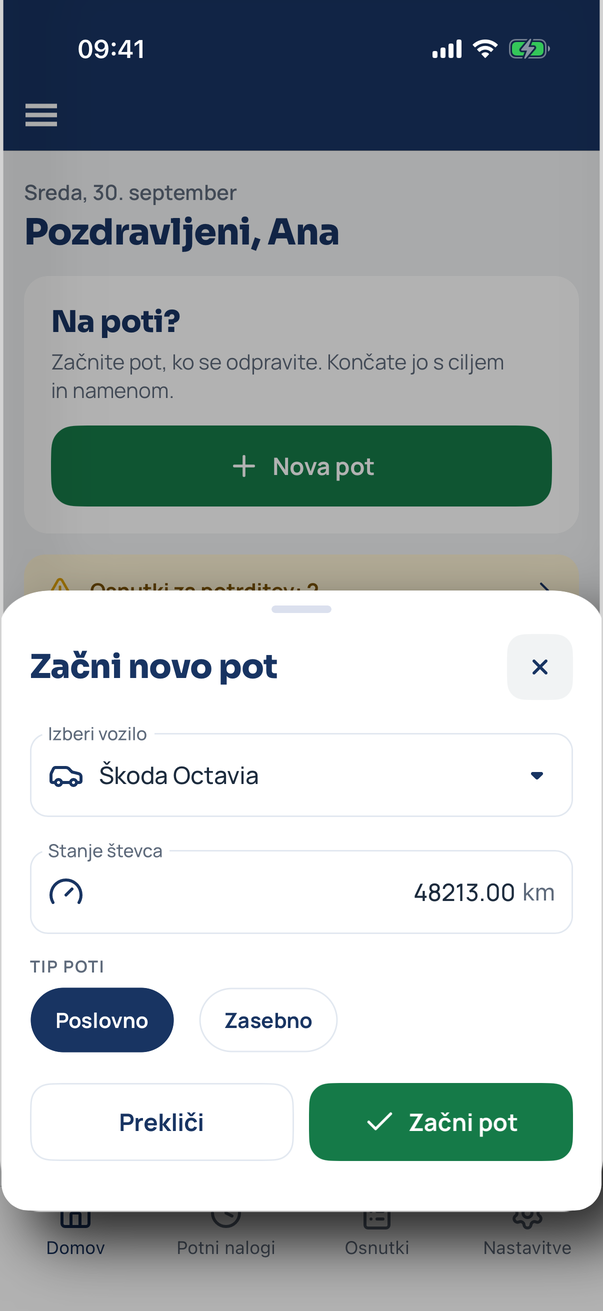
Fill in the trip details
Pick the vehicle, check the odometer (the last known value is suggested) and the trip type – business or private. Tap Start trip.
- 3
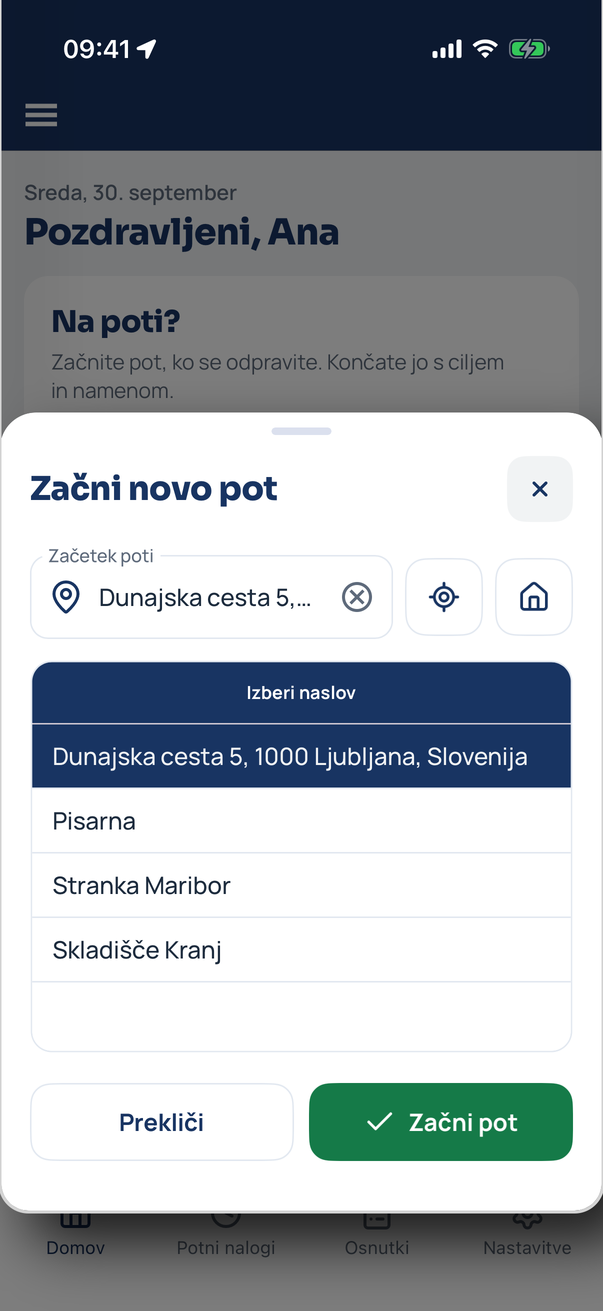
Confirm the start address
The app suggests nearby addresses and your saved ones. Tap the right one or type into the search; the location button uses your current position.
- 4
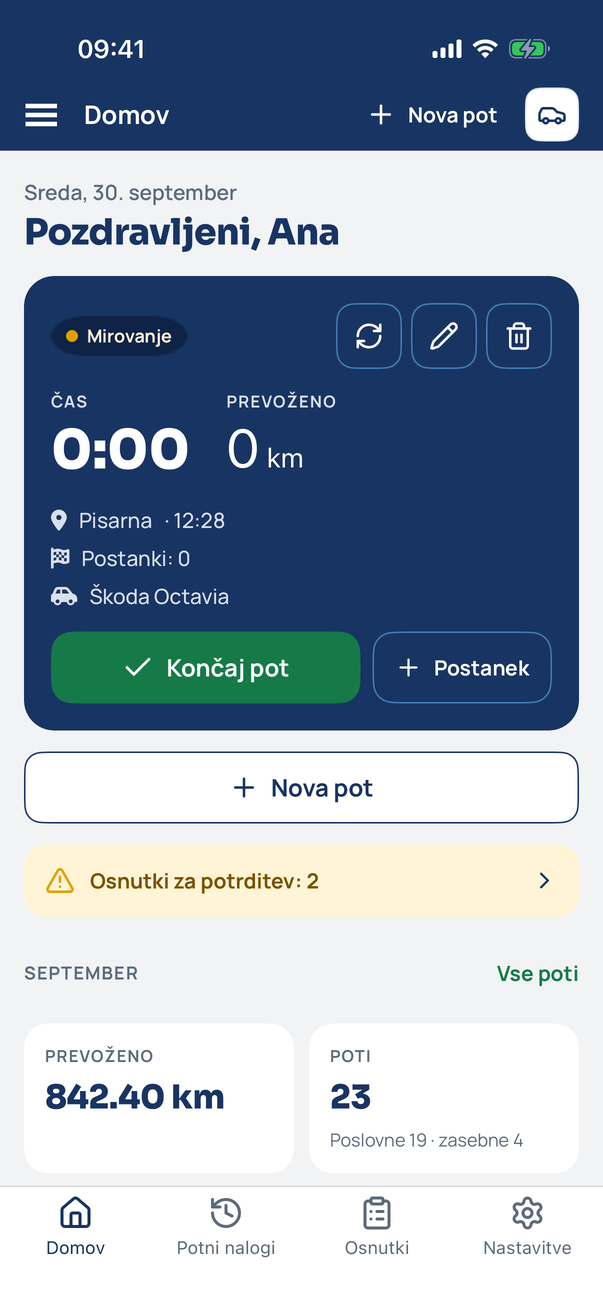
The trip is running
Home now shows the active trip: time, distance, start address and vehicle. Put the phone away – the kilometres are counted for you.
Tip
With automatic detection on, the app starts trips by itself when you move. A manual start is handy when you want the trip to begin at an exact odometer reading.
Related how-tos
Try eDriver free for 14 days – no card needed.
Start free trial