
← All how-tos
How to add a vehicle
A new vehicle in eDriver: name, plate, type, level and odometer – in three steps. The selected vehicle is used for new trips.
Updated:
Steps
- 1
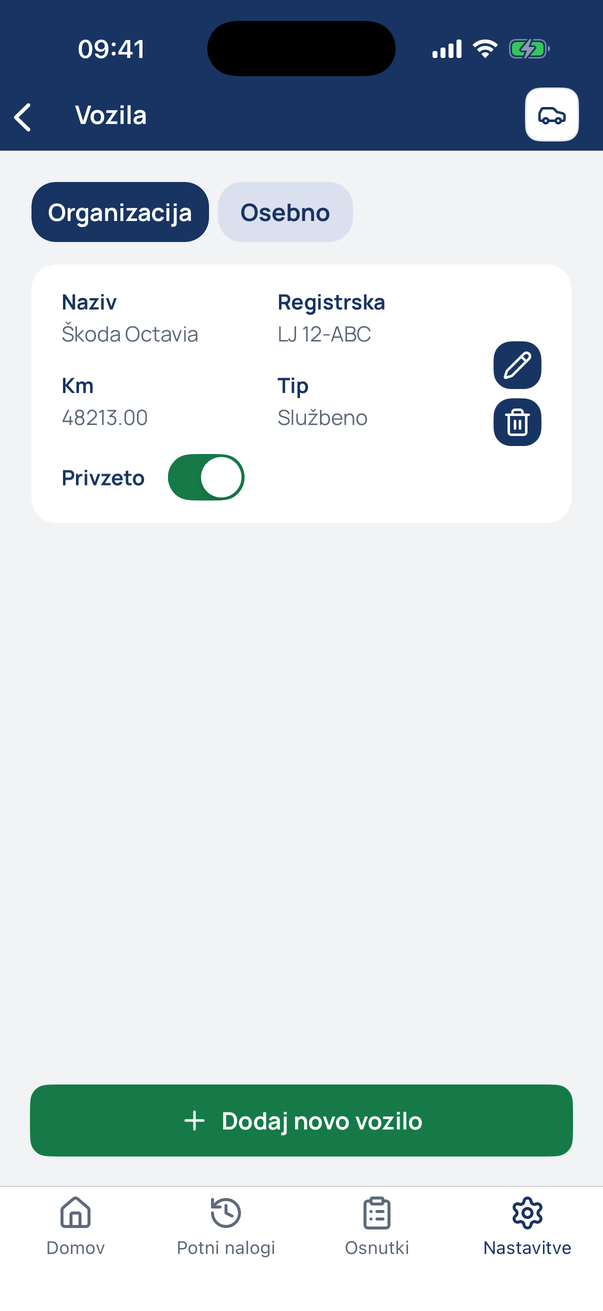
Open the vehicles
In Settings tap Selected vehicle. The list shows all vehicles; the selected one is marked.
- 2
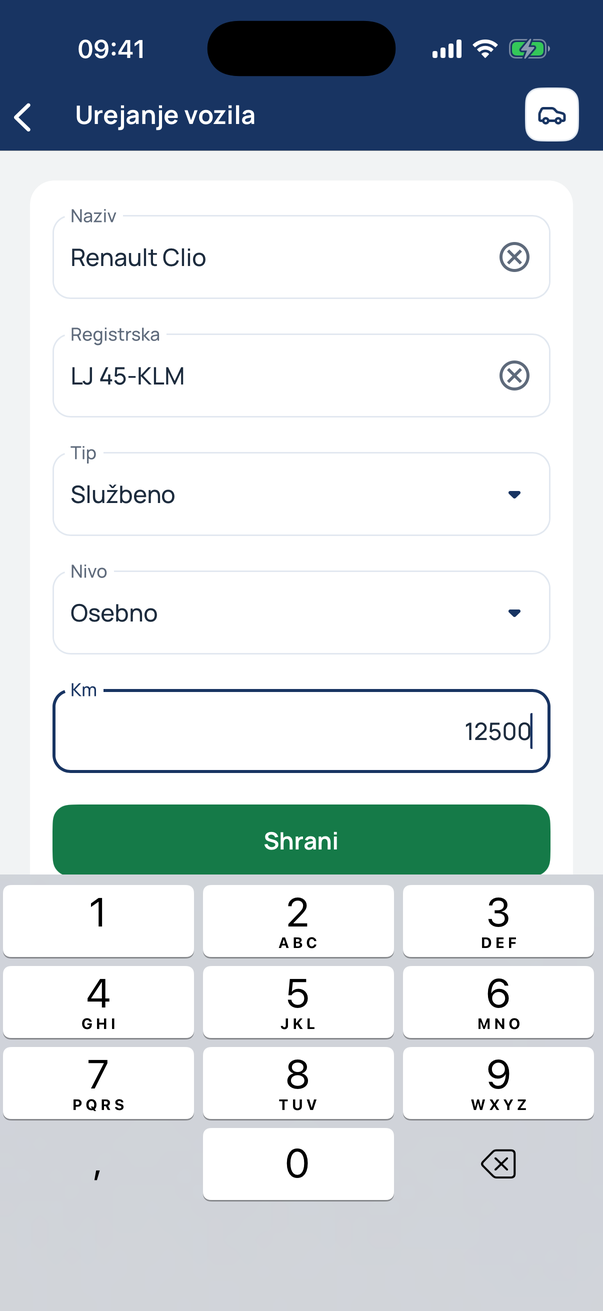
Fill in the details
Tap Add new vehicle: name, plate number, type (business/private), level (personal or company) and odometer. Tap Save.
- 3
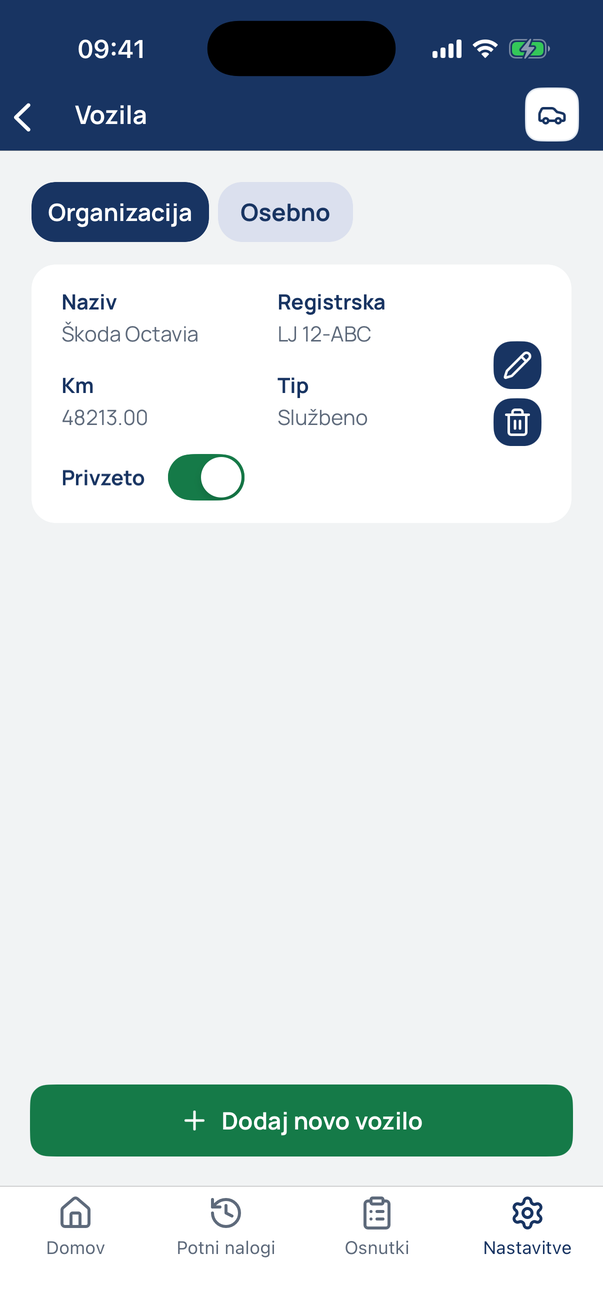
Select the vehicle for trips
The vehicle is on the list. Tap it to make it the selected vehicle for new trips.
Tip
Mileage allowance is calculated only for private vehicles used on business trips – not for company vehicles.
Related how-tos
Try eDriver free for 14 days – no card needed.
Start free trial