
← All how-tos
How to add expenses and receipts
Attaching a receipt or expense to a trip in eDriver: receipt photo, expense type, country and amount – in four steps.
Updated:
Steps
- 1
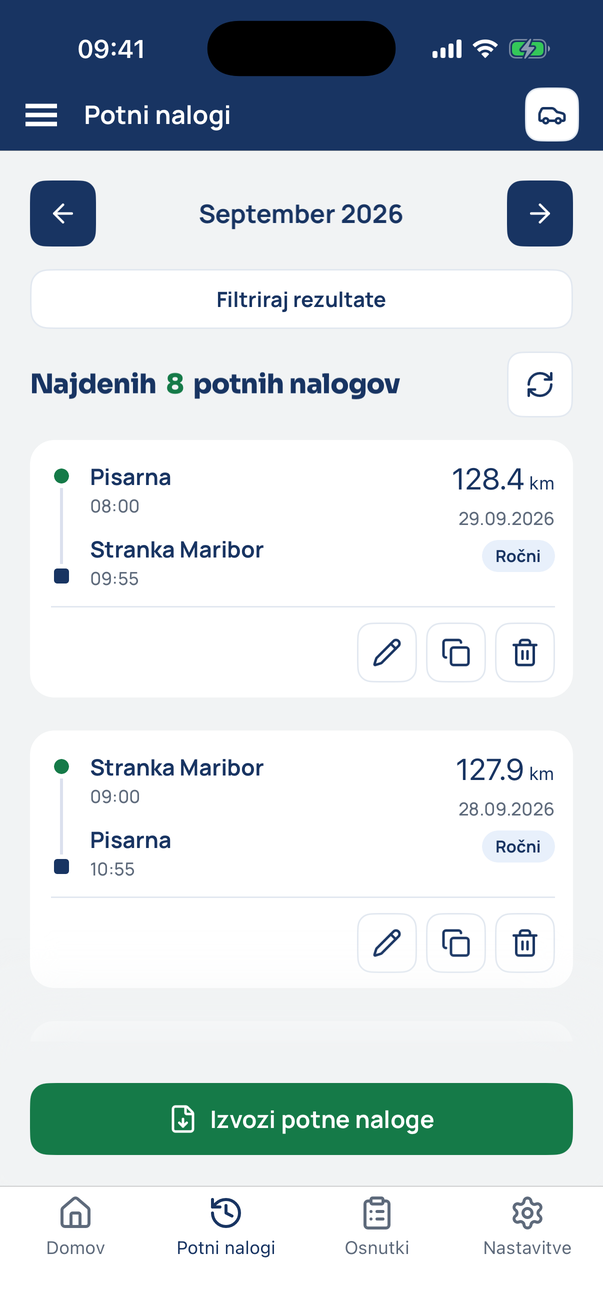
Open the trip
In the Travel orders tab tap the pencil on the trip.
- 2
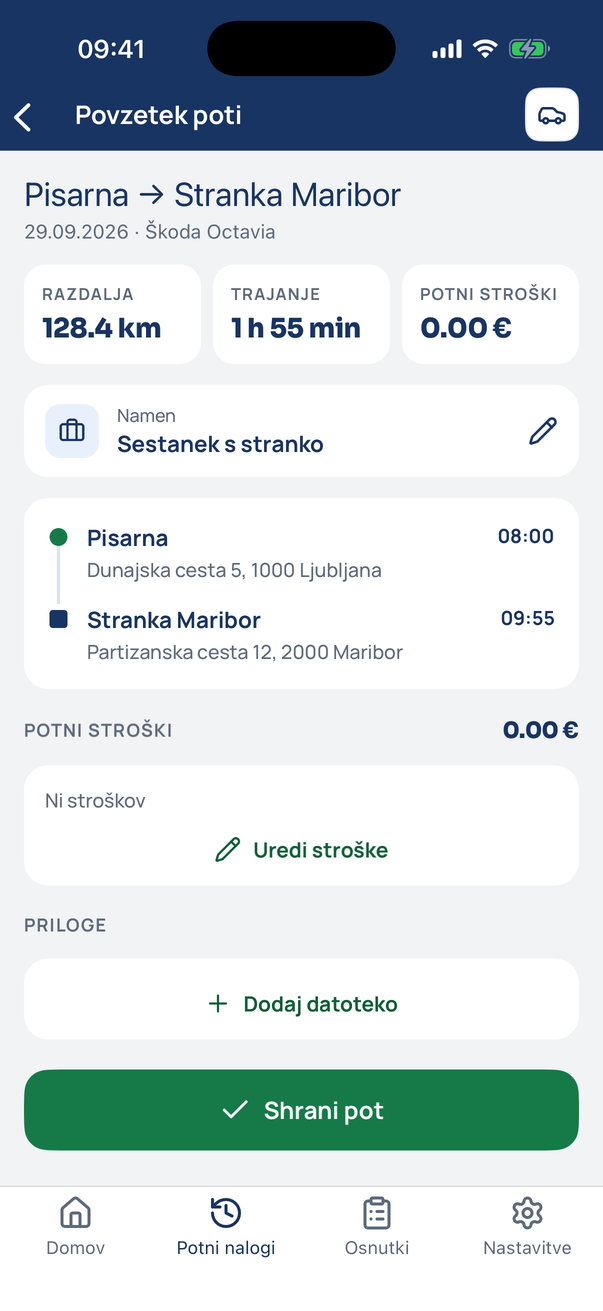
The trip summary
At the bottom are Travel expenses and Attachments. Tap Add file.
- 3
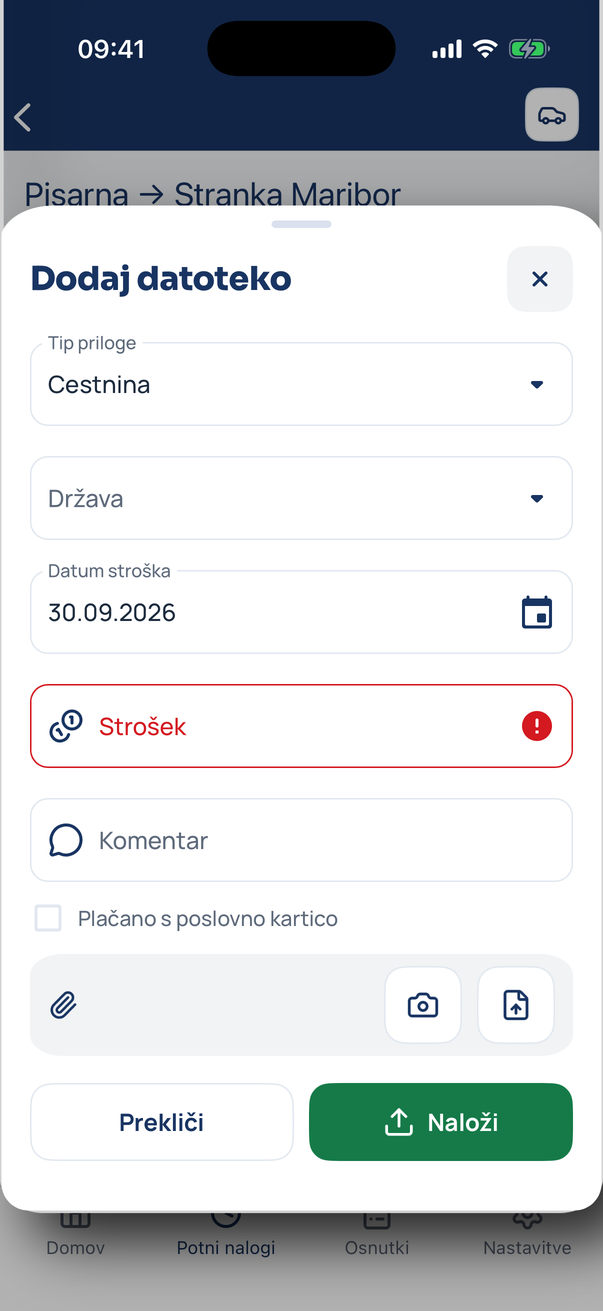
Add the receipt
Pick the expense type, country, date and amount, optionally a note. Take a photo of the receipt or choose a file and tap Upload.
- 4
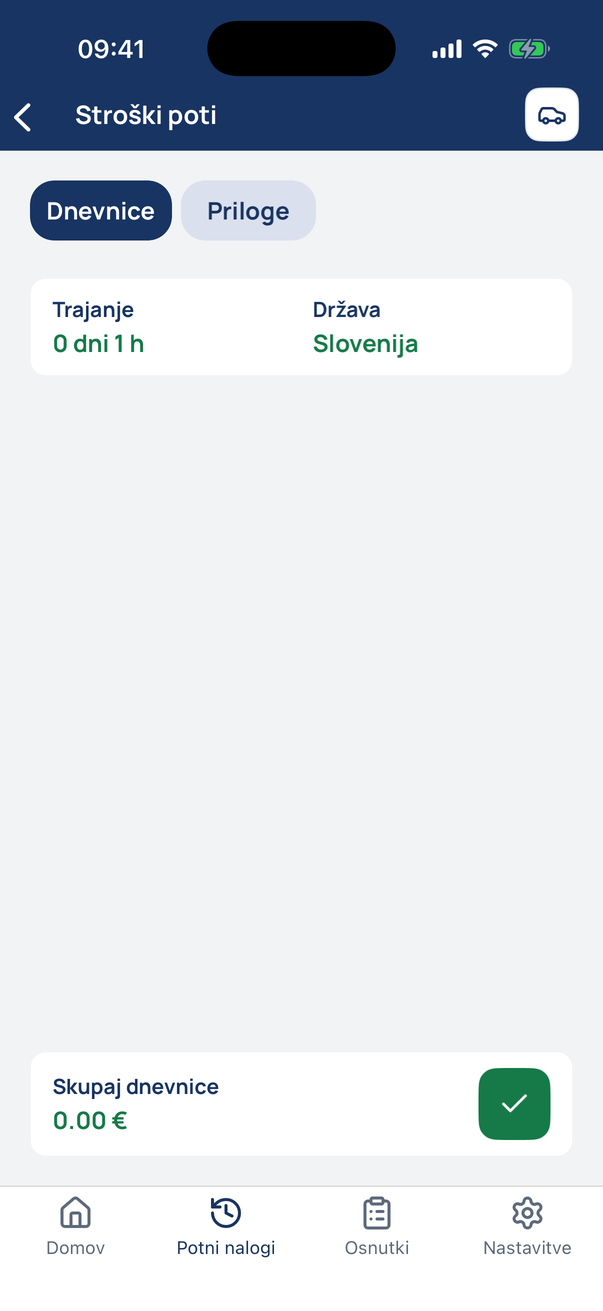
Edit the other expenses
Edit expenses opens per diems, mileage and the other expenses the app calculates.
Tip
Tick “paid with the company card” so your accountant knows the expense is not reimbursed to you.
Related how-tos
Try eDriver free for 14 days – no card needed.
Start free trial