
← All how-tos
How to save an address
Saved addresses in eDriver (office, customers, warehouse): address, name and default trip purpose – in four steps.
Updated:
Steps
- 1
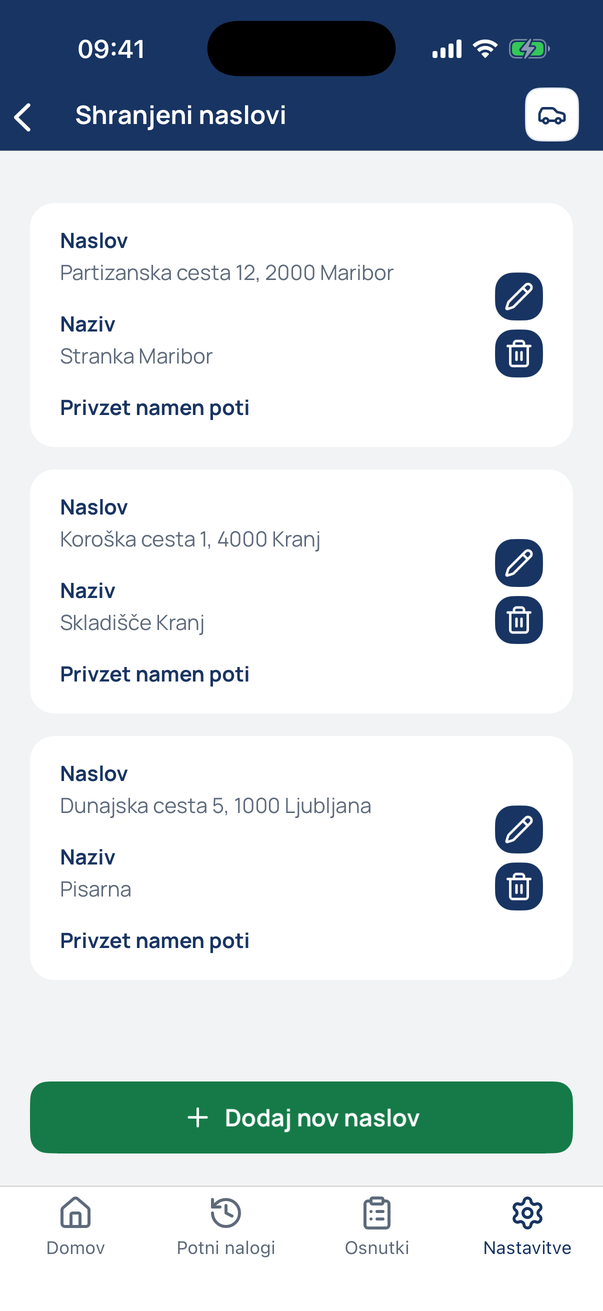
Open the saved addresses
In Settings tap Saved addresses.
- 2
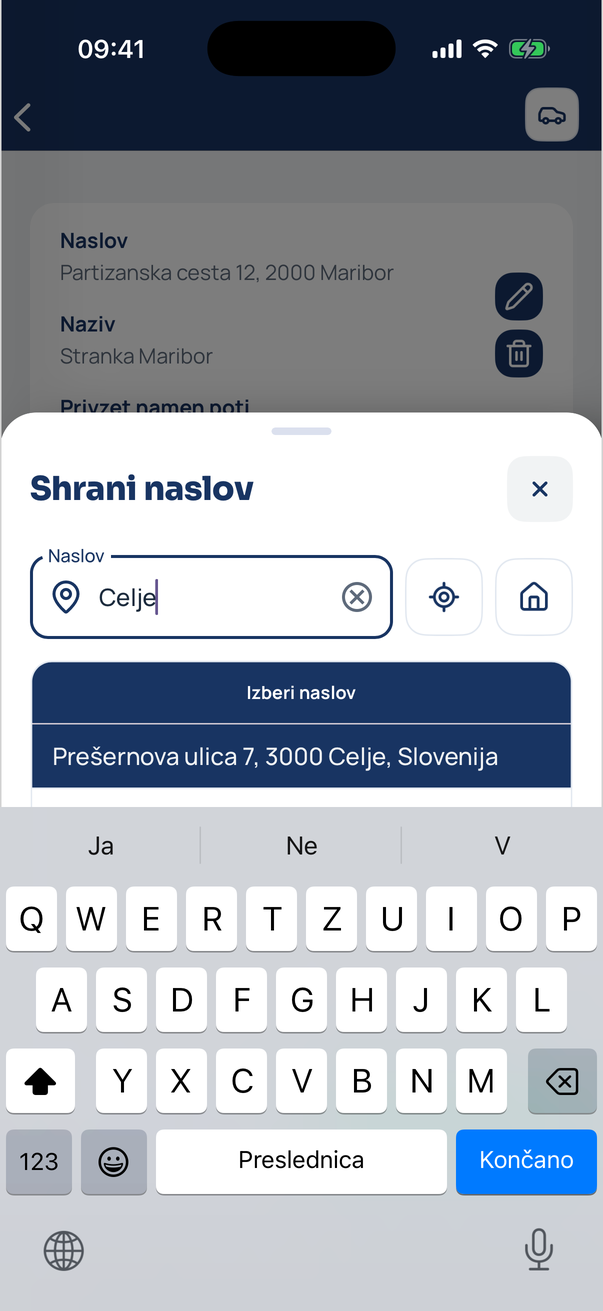
Search for the address
Tap Add new address, type the town or street and tap a suggestion. The location button saves your current position.
- 3
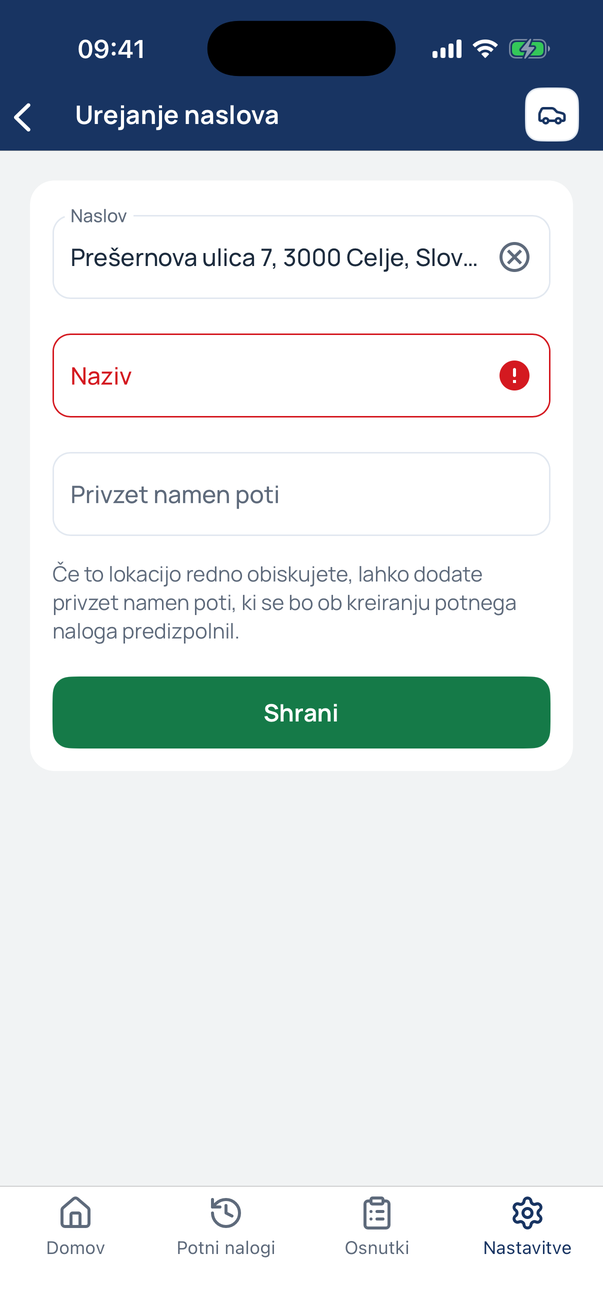
Give it a name
Enter a name (e.g. Customer Celje) and optionally a default trip purpose – it is filled in automatically when a trip ends there.
- 4
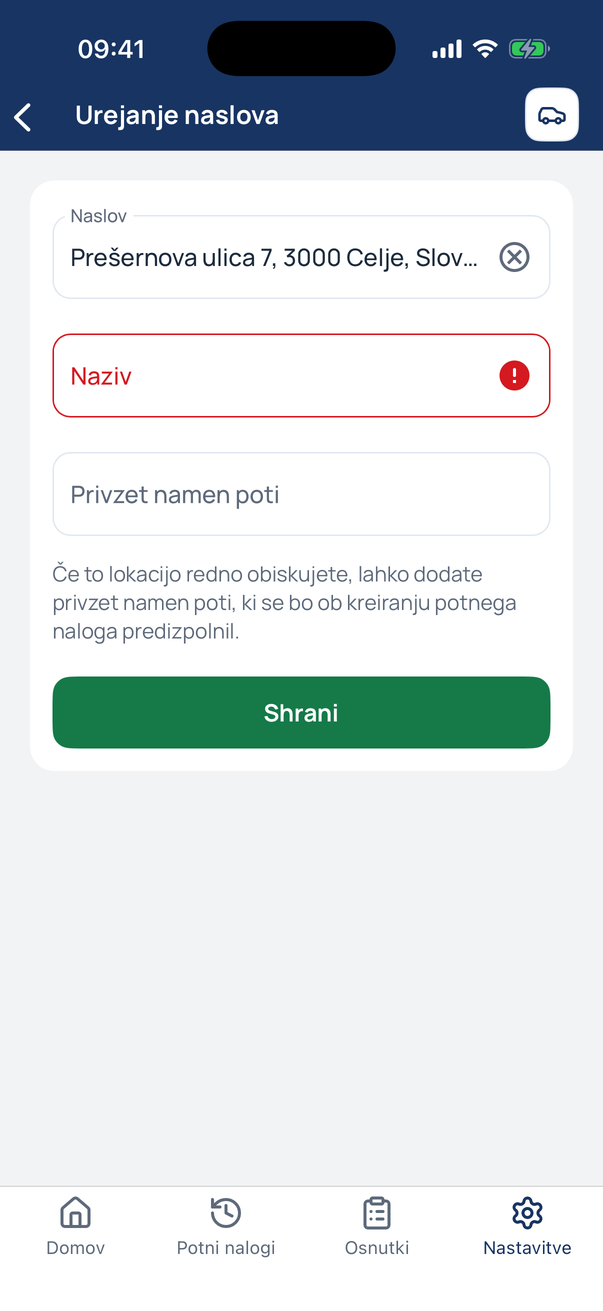
The address is saved
It is now on the list and among the shortcuts when starting, stopping and finishing trips.
Tip
Set your default location (home or office) separately under Default location – the house button uses it with one tap.
Related how-tos
Try eDriver free for 14 days – no card needed.
Start free trial