
← All how-tos
How to ignore the stop time check
The Ignore the stop time check setting in eDriver: every stop counts as valid, every leg is added to the km and there are no warning triangles.
Updated:
Steps
- 1
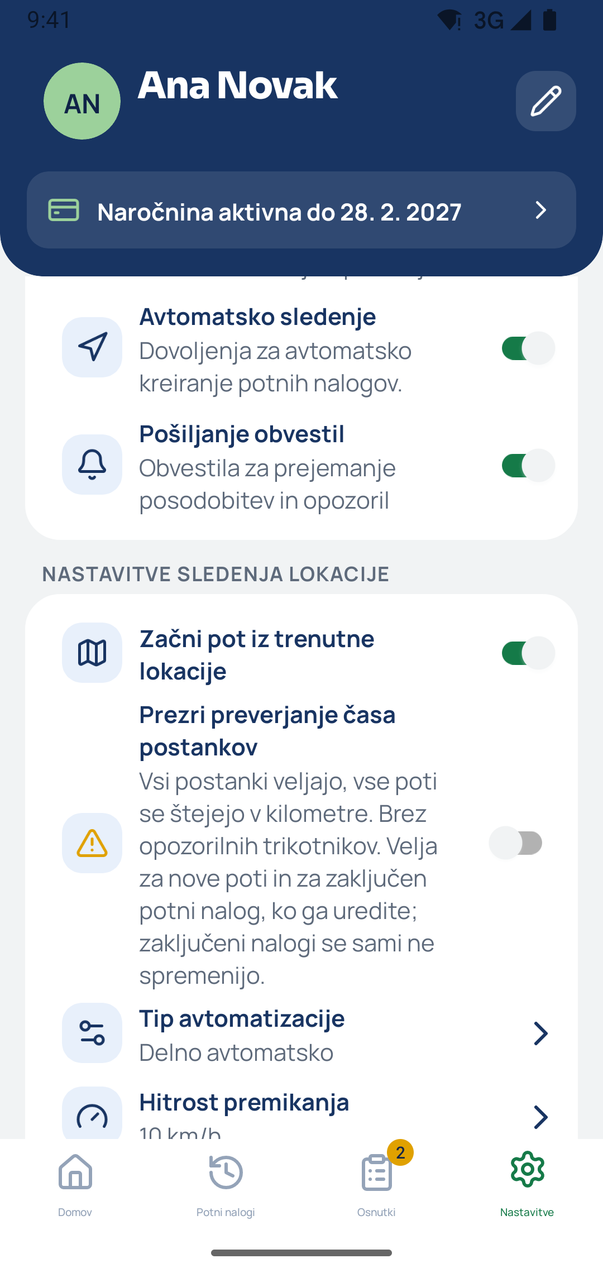
Find the switch in Settings
In Settings, under Location tracking settings, is the switch Ignore the stop time check. When it is on, every stop counts as valid, every leg is added to the km and there are no warning triangles.
- 2
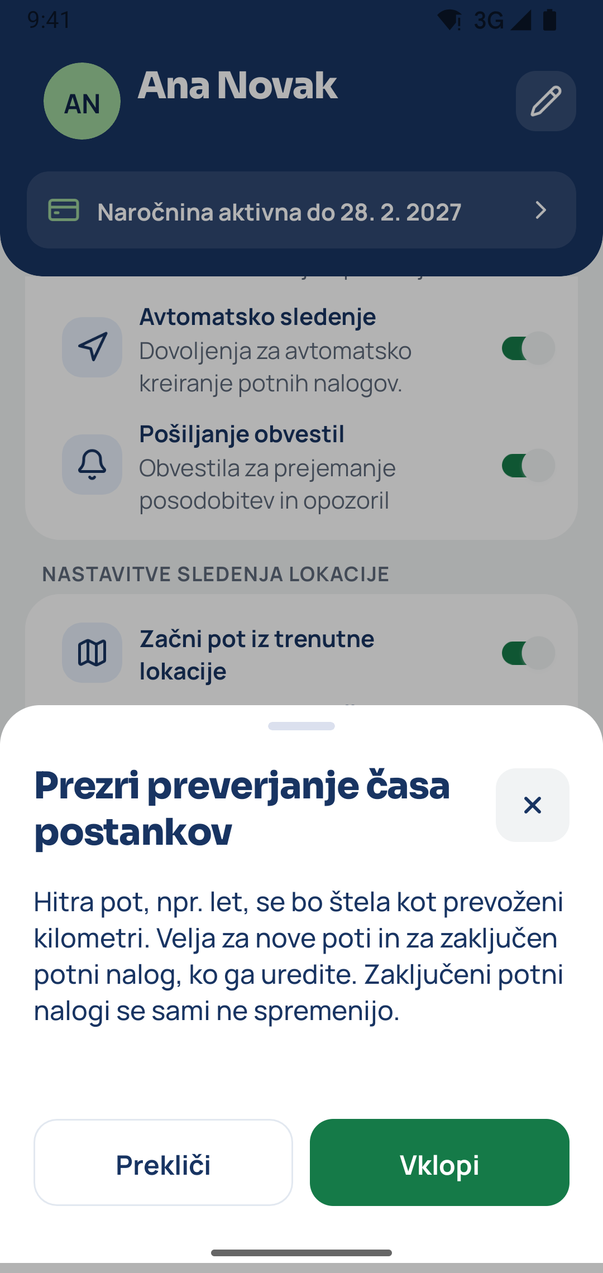
Confirm turning it on
Tap the switch. The app warns you that a fast leg, e.g. a flight, will count as driven km. Tap Turn on.
- 3
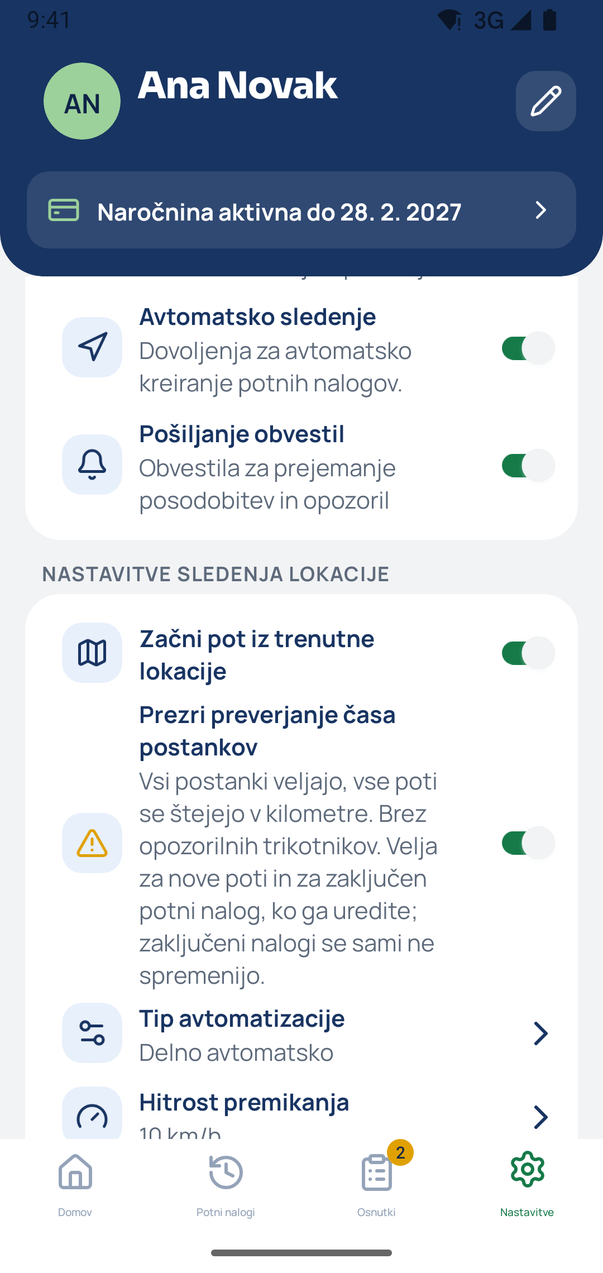
The setting is on
The switch is on. It applies to new trips and to a completed travel order when you edit it. Completed travel orders do not change by themselves.
Tip
You can turn the switch off at any time. The confirmation only appears when you turn it on.
Related how-tos
Try eDriver free for 14 days – no card needed.
Start free trial